Tips and tricks from real iPad Power users.
Written by Pro’s and not seasonal pundits. Our iPad’s are genuinely our main computers. Here you will find; Power User Workflows, Expert Tips and handy advice to help you maximize productivity and get the most out of your iPad.
Receive Pro Tips Right To Your inbox

Top 5 Productivity Pro-tips for iPadOS 26
Here are our top 5 X iPadOS 26 productivity Pro Tips, to help you be more productive on your iPad.

5 Awesome Features From Notes on iPad
Show casing 5 features within the notes app. Quick Notes to Scanning. Text.

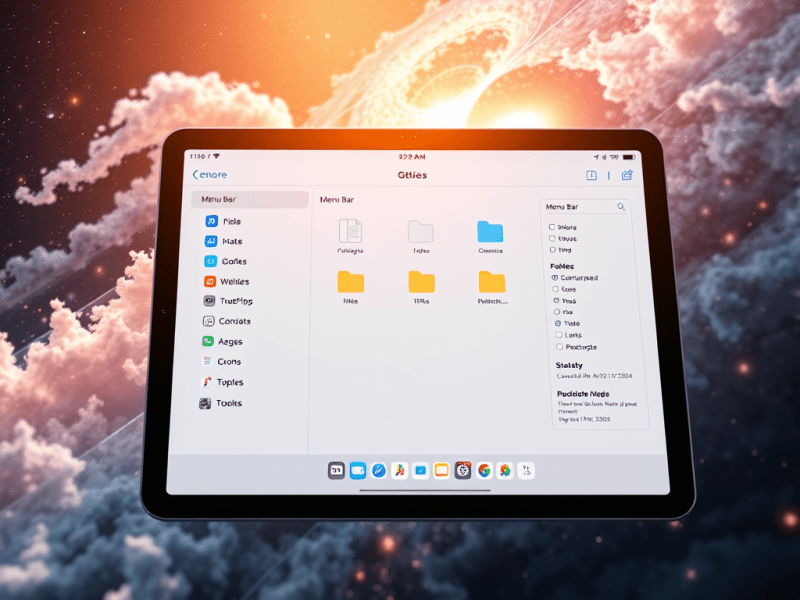
9 Features of the NEW Files App
The Files app in iPadOS 26 introduces some great new customisation features, making file management more efficient. These features allow for improved navigation, folder customisation options, and seamless app integration. All of these features allow for a streamlined workflow for users.

Solving iPad Charging & Battery Problems
In this How-to Guide series Part 1 – “iPad Charging & Battery problems”, we are going to cover some of your most asked questions about this topic and we are going to throw in some Pro Tips along the way 😀

Set up your perfect multiple App Layout with this NEW iPadOS 26 Shortcut.
In one tap, this brilliant shortcut which we have build for you, will save you a bunch of time each day, by arranging all your apps just the way you like them, giving you a nice productivity boost when iPadOS 26 launches. The Public BETA of iPadOS 26 is out and we are diving into…

10 Essential iPad Tips for (beginners & Pro’s)
Whether you are a beginner or a pro these must know iPad tips will help you make the most out of your iPad and boost your productivity. Beginner Level 1. On Screen Keyboard Cursor. If you don’t have a track pad connected or you are using your iPad as a tablet, this handy feature makes…

Take a Quick Note During a Meeting
Most meetings in life require capturing notes of some sort, however when you are engaged in a virtual meeting, accessing a note can be a little bit more complicated, particularly when your note taking device is used for the video call as well 😰. The Problem During a virtual meeting you don’t want to be…
10 very useful things you probably didn’t know Spotlight on iPad can do!
Searching and Launching apps is what Spotlight is most well known for, but did you know there is so much more Spotlight for iPad can do. Here is our list of 10 useful things you can do right now using spotlight search. What is Spotlight Search 🔦 For those who may not know Spotlight search…

Set yourself up for success in the morning.
Here is an effective shortcut that sets you up for success in your morning productivity routine ☕️ . Many iPad users actually prefer working on thier iPads with stage manager switched off, this is in large part due to the simpler, more space efficient multi-tasking that split screen still offers. Now this isn’t to say…

Subject Identifier with Files and Photo’s
Have you ever wondered what animal or plant you have photographed or seen in an image? Well wonder no more as apple has you covered! From either the files app or within photos on IOS or iPadOS your device will automatically identify a particular subject from an image. This can also be achieved from a…

Pro Tips – Get to information FAST.
A great way to speed up your productivity on iPad, is to be able to access information quickly. So let’s look at one ULTRA FAST method of grabbing information in literally less than a second, no matter where you are on your iPad, and yes we timed it! One of the things that makes an…

Which iPad is right for you?
Thinking about buying an iPad, but which one is right for you? The iPad line up is stronger than ever, now there is an iPad option for just about any type of user, but choosing the right iPad is not as easy as it may appear. It’s not quite as straight forward as it seems,…

This will save you a ton of time working on iOS
The Problem We all at some stage will need to grab or attach files we have recently saved. The problem is it usually requires a bunch of additional taps to then find and retrieve the saved file. To make matters worse, sometimes it can be difficult to find what we just saved. (See you…
Why iPad Pro is ideal for entrepreneurs
Apple has released a superb series of videos which for me highlight the creative potential of the iPad Pro and the productivity use cases which directly relate to work, that so many entrepreneurs perform on a daily basis. I will leave a link to Apple’s video series below. Entrepreneurs have to be creative in order…

5 Reasons Why iPad Pro Is Great For Business Users.
Lets dive straight in; 1.) Less Distractions Equals More Work Done iOS is undeniably very beautiful and well presented, the home screen is uncluttered and the dock is clean and very easy to distinguish between different apps. The app animations and movements are graceful and fluid and all this translates to a very relaxing and…

Spotlight Search does more than you think 🔦
One thing you will notice with serious iPad users, is that they all use Spotlight Search and If you have a keyboard you can really give your productivity workflow a big boost! A big Speed upgrade Using “Spotlight Search” allows you to save a ton of time by keeping your figures on the keyboard. You…
The Power Of Two Screens
When you are trying to get work done, no one says “Gosh I wish I had less screen space”. If you have an iPad the chances are that you have an iPhone and that means you are ready for this set up right now! When you put the two next to each other, you will…