One thing you will notice with serious iPad users, is that they all use Spotlight Search and If you have a keyboard you can really give your productivity workflow a big boost!
A big Speed upgrade
Using “Spotlight Search” allows you to save a ton of time by keeping your figures on the keyboard. You can even select apps without tapping the screen. You simply pressing the ⬇️ arrow on your keyboard and then pressing “Enter”. Something as simple as this will allow you to really fly on your iPad.
Access docs and files by bypassing the Files app
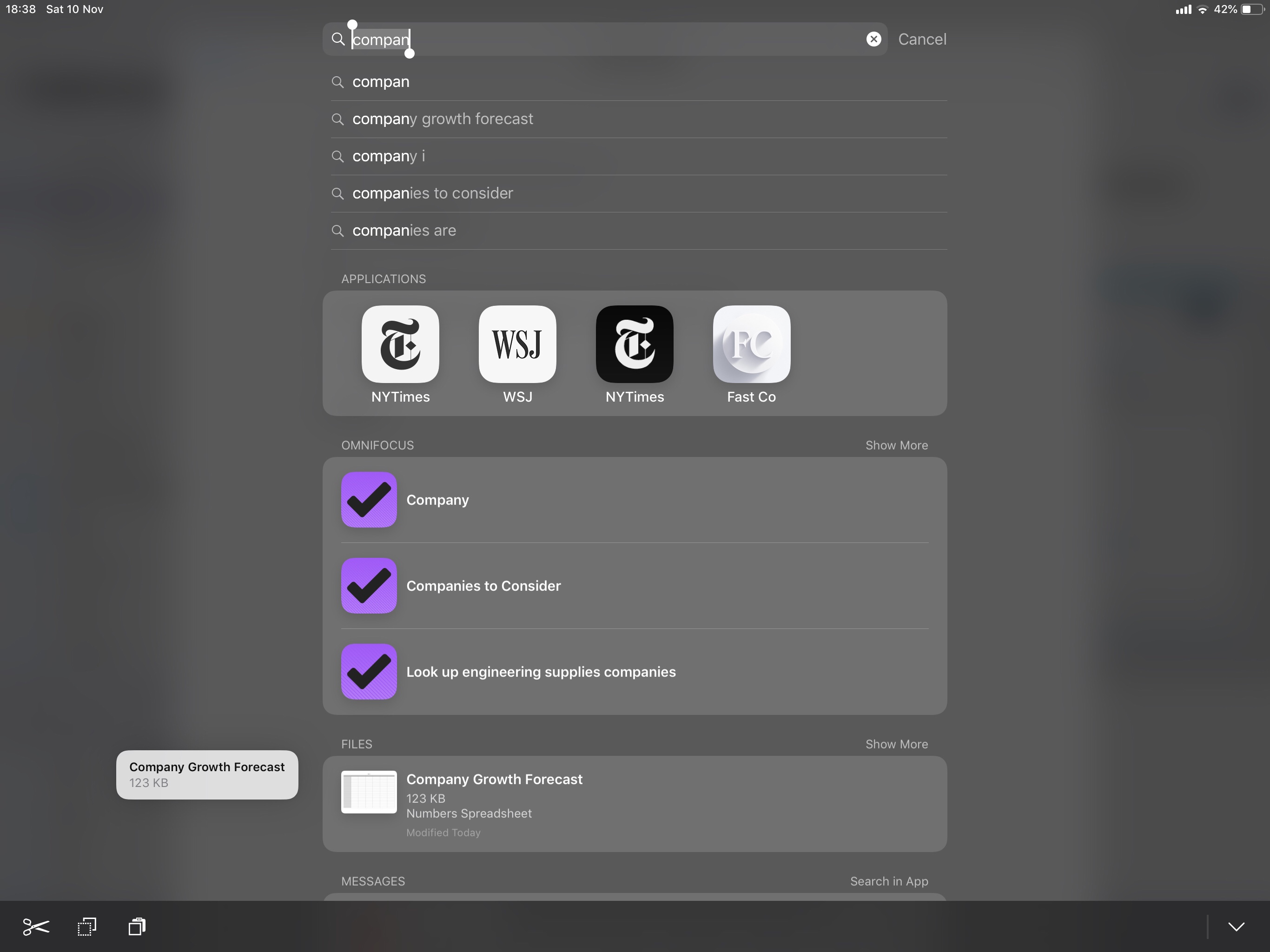
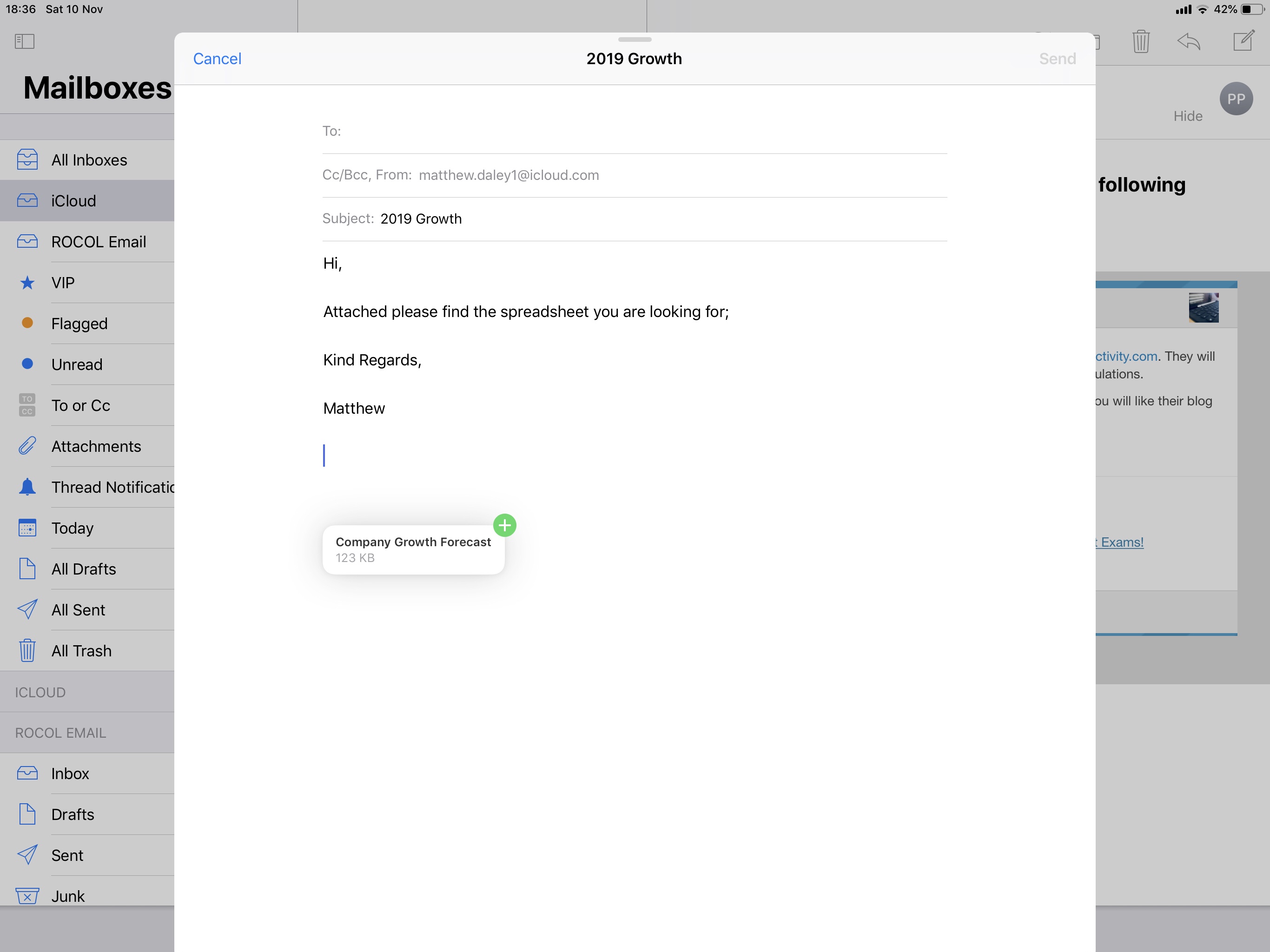
Another huge time saver example is in mail – while you are in mail, if you need to attach a file, instead of tapping a minimum of 4 taps to attach a file from your chosen storage service, you can simply press “Command + Space Bar”, type in the documents name, tap and drag the file from the spotlight menu, then whilst holding the file, use your other hand or finger to press “cancel” at the top right of the search bar to bring you back to your mail screen. Its instant and doesn’t require you tapping multiple times and searching through numerous imbedded folders. (See below)
Keep your current window layout