Safari on iPad has come a long way and to be honest it had to, the world started to focus on web Apps and Services, over App development and that meant Apple had to start getting more serious about Safari on iPad. In 2026 we now have desktop browsing and a host of productivity tools in Safari, that many people (myself included) forget to take advantage of. So in the age of web apps and web services, what are some really good Safari productivity tips, that actually make a difference?
Let’s Start With, “The Menu Bar”
If you are not using the Menu Bar by now, you are missing out, plain and simple! Last year September Apple included the Menu Bar in iPadOS 26, just like on mac and this year they have even gone further, by allowing users to keep the Menu Bar permanently displayed. Apple is doing this because they intend to make the Menu Bar a central figure in App functionality system wide, and it is obvious they want us to use it.
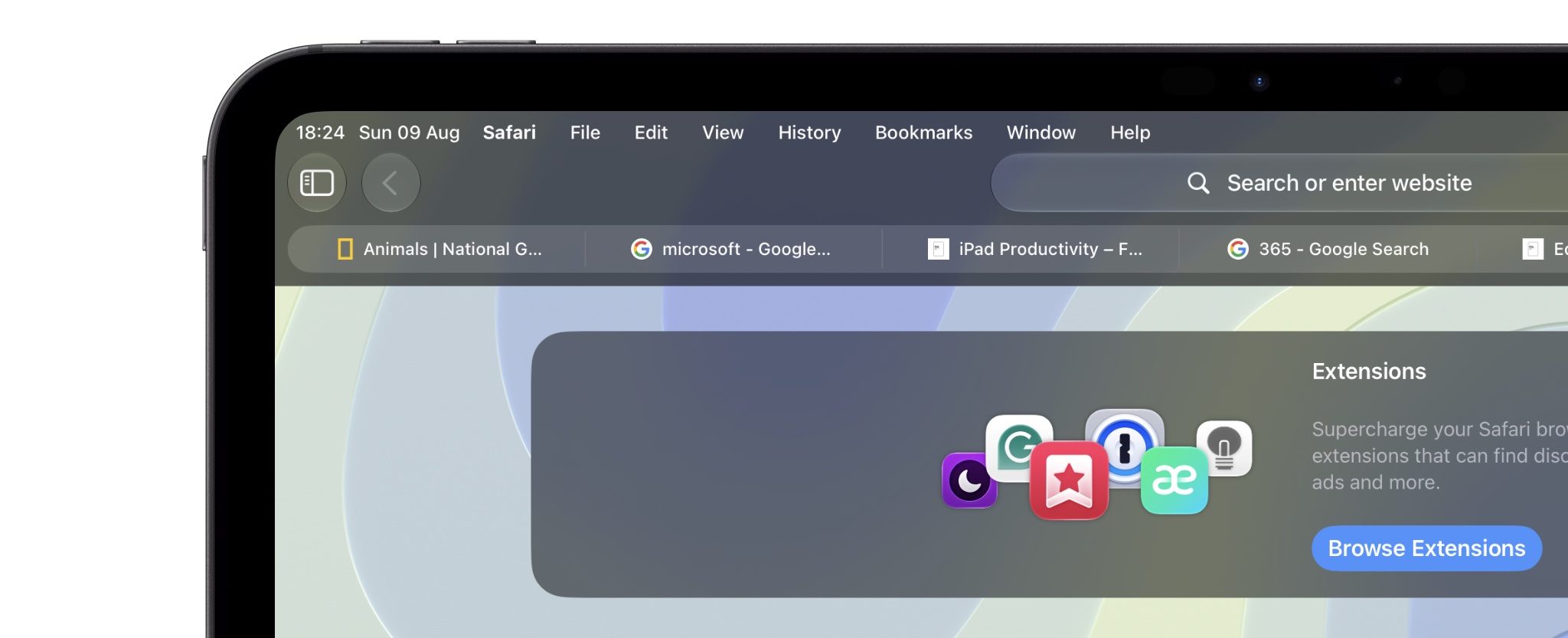
I must admit, it took some time remembering that I must utilize the Menu Bar, but now I honestly can say, it is a huge help. I now Instinctively go there for tool accessibility or if I can’t remember where something is, and in Safari, it is no different.
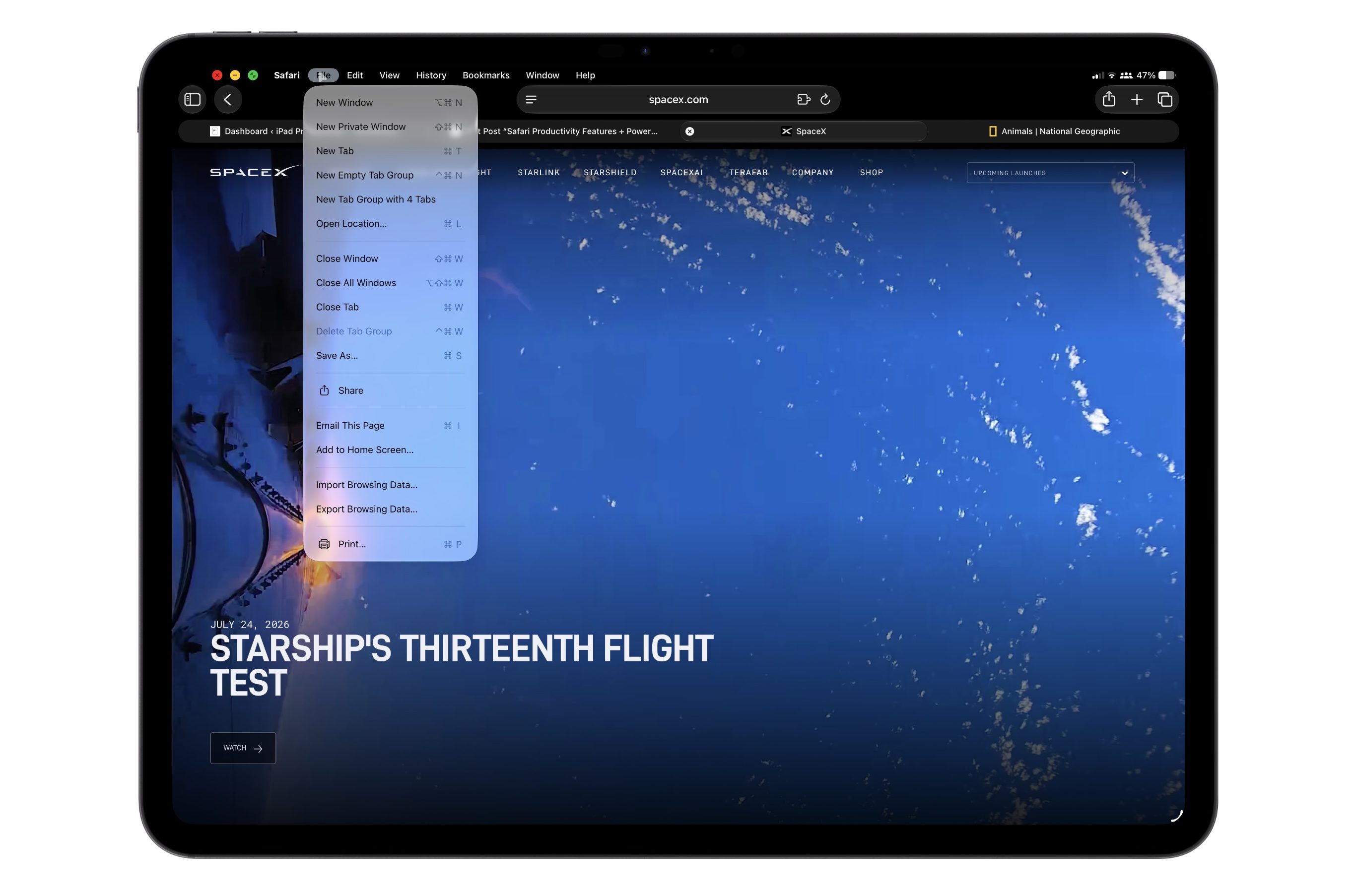
For example, tools that were typically hidden underneath “Long Presses” are fully discoverable in the Menu Bar, such as “New Window”, “New Private Window” or “Close All Tabs” and more. These could typically be found by Long Pressing the Tabs icon in the top right hand corner. Now they are easier and more quickly accessible through the Menu Bar under “File”. See below.
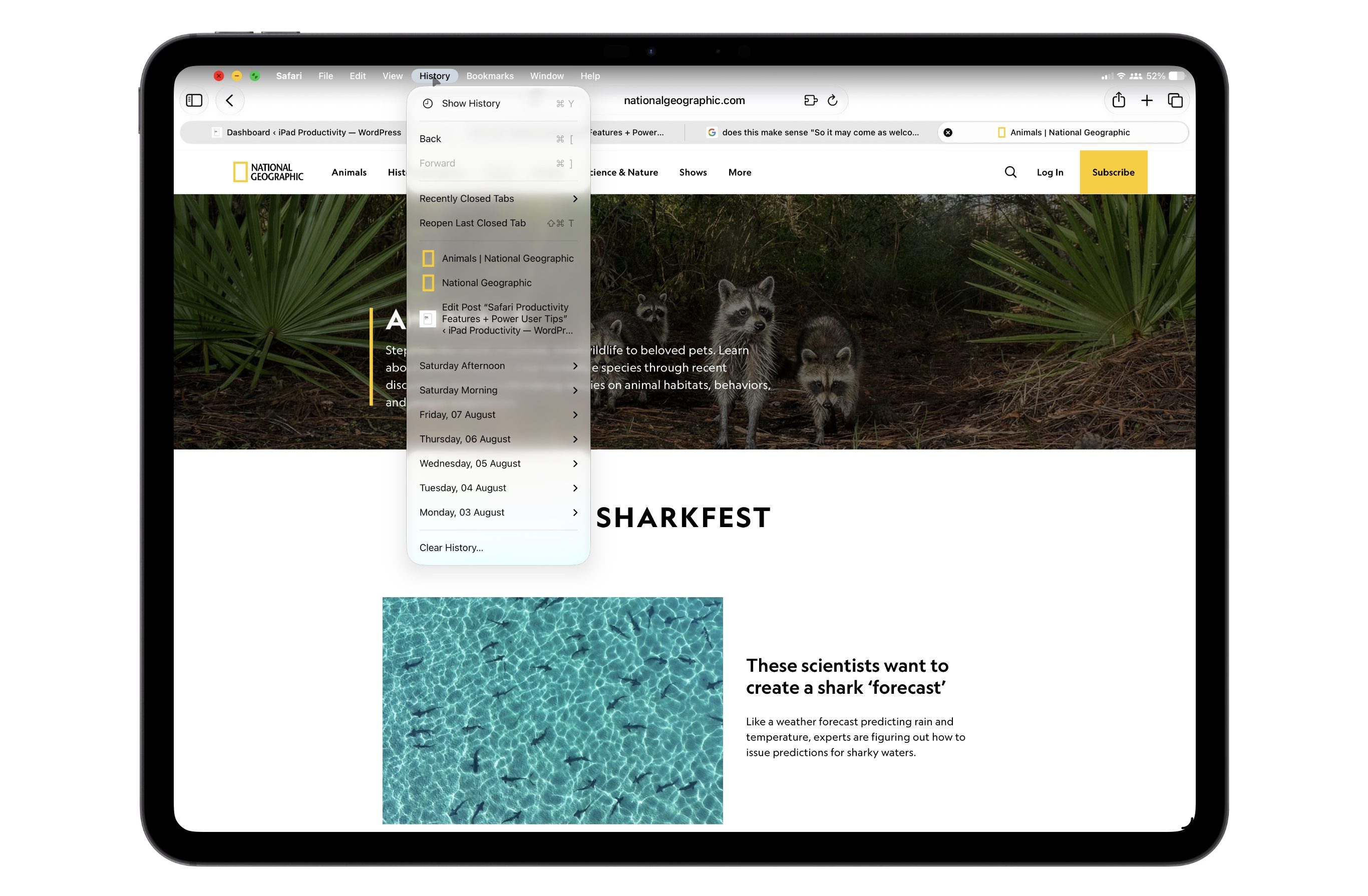
Safari History
Another great use case of the Menu Bar in Safari is for viewing your search History. This used to only be discoverable in the Side Bar. But now it is faster (less taps) and more discoverable in the menu bar and doesn’t require shrinking the screen when opening the Side Bar.
Bookmarks & Favorites
It is easy to get confused between Favorites and Bookmarks. A simple way to remember the difference is: Favorites are simply a special, high-priority subset of your Bookmarks – Favorites you will notice, is actually a default folder inside your Bookmark list
The benefit of creating a Favorite over a Bookmark is that for power users and productivity purposes, Favorites require less taps to initiate, as they appear on the start page in safari under the address bar. Whereas Bookmarks appear in the Side Bar under Bookmarks in Recently Saved or at the bottom of the Side Bar.