

Apple just announced iPadOS 26, the largest, most significant update to iPadOS ever! From the perspective of people who use their iPads as their main computer, here is our take on the new update and the features we are most excited about.
A New look
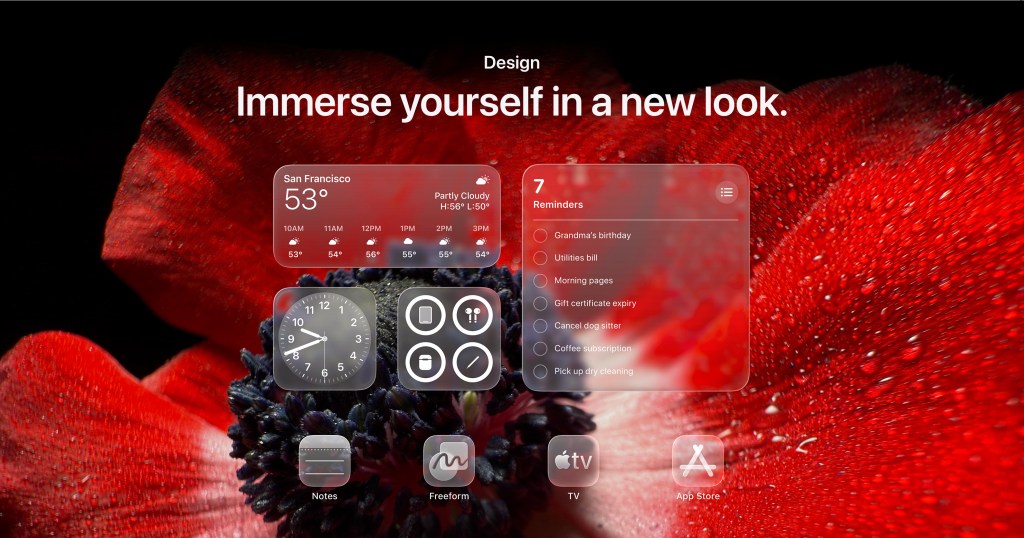
Apple have announced a new “Liquid Glass” design across its platforms, and it looks stunning on iPad. Below is the ”Clear” option for Apps and Widgets, should you want a more glassy appearance.
The focus of iPadOS 26
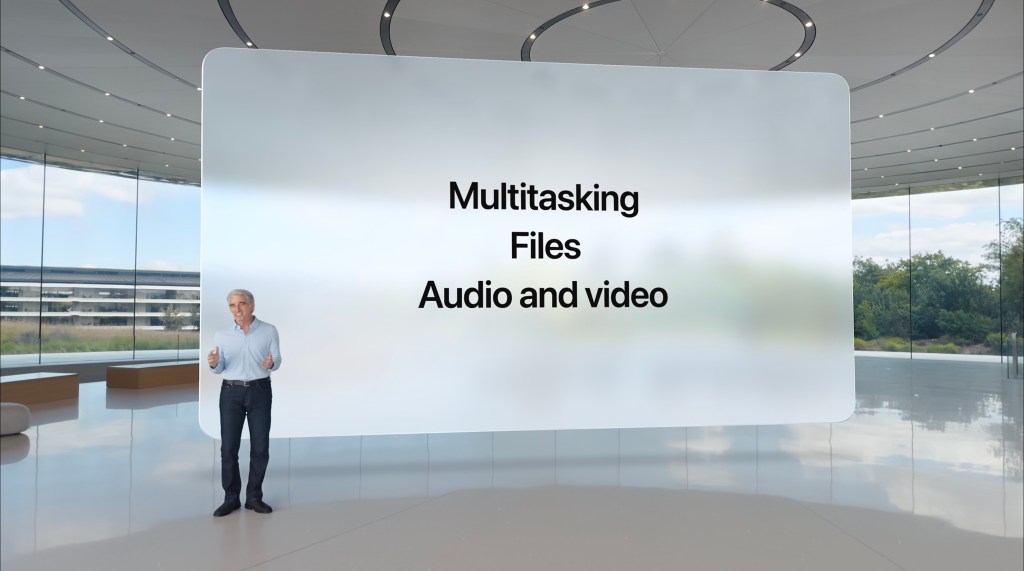
Apple have moved to a year based naming system, this is far easier to remember and stay updated with. This year Apple are focusing on three main areas; Multitasking, Files, Audio and video and it’s more than we were asking for.
Multitasking
Apple is dramatically improving on windowing in iPadOS 26, giving users a much better experience in the ability to control, arrange and switch between windows. We have seen users on the Beta stating that re-sizing windows is now fully customizable, like on a Mac, meaning the windows don’t try and snap to pre-defined sizes during resizing.
A new feature we love is when windows are minimized, they can be returned back to the exact same size and position they were previously in!

We also love the new close, minimize and expand controls which are so familiar to Apple users. This feature will no doubt speed up window management when compared to the current “three dot” grab handle we have now.
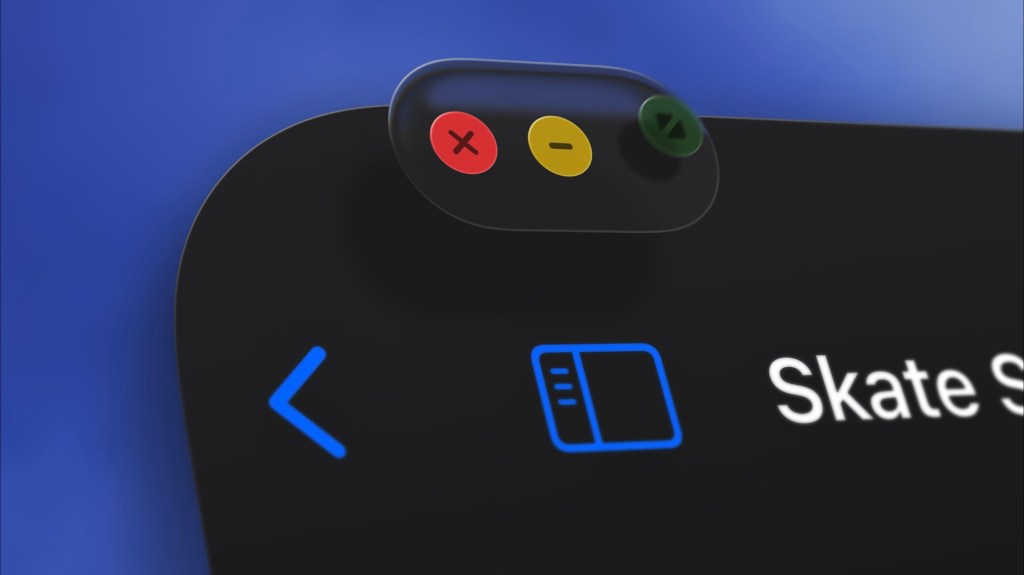
With these new window management controls, Apple unveiled a new more accurate and responsive pointer which lends credence to Apple bringing more Pro Apps to the iPad, that require more precise pointer control. I am happy to tell you that this new pointer still adapts and changes shape, depending on the controls it moves to but this time in a more precise less chunky manner.
In a recent Podcast we were on called iPadPro’s, host of the show Tim Chatten asked us what features we would like to see in this new upcoming software. For managing windows we asked for “Grid layout options”, wellI am extremely pleased to tell you… this was actually announced! Apple is calling it “Tiling”. By simply clicking and holding on the window controls (as shown in the image above), you are presented with different options for “Tilling”, as can be seen below. Tilling quickly optimizes space on your screen, saving you precious time and frustration resizing windows, this alone will be one of the biggest productivity upgrades for iPad users, well done Apple 👏.

You can now open more than four windows on a screen, early Beta testers are claiming that there actually appears to be no limit.

Another feature we asked for on Tim Chatten’s podcast, was for a feature similar to Mission Control on Mac, where with a four finger swipe up, you could see all your windows on one screen, instead of having to scroll from right to left to see them all. Again we got it! Apple is calling it “Expose”. A three finger swipe-up-and-hold, from either the trackpad or screen and all your open windows spread out in one space, this is another feature that we believe will be a massive time saver and a big productivity win.
A Mac-like Menu Bar
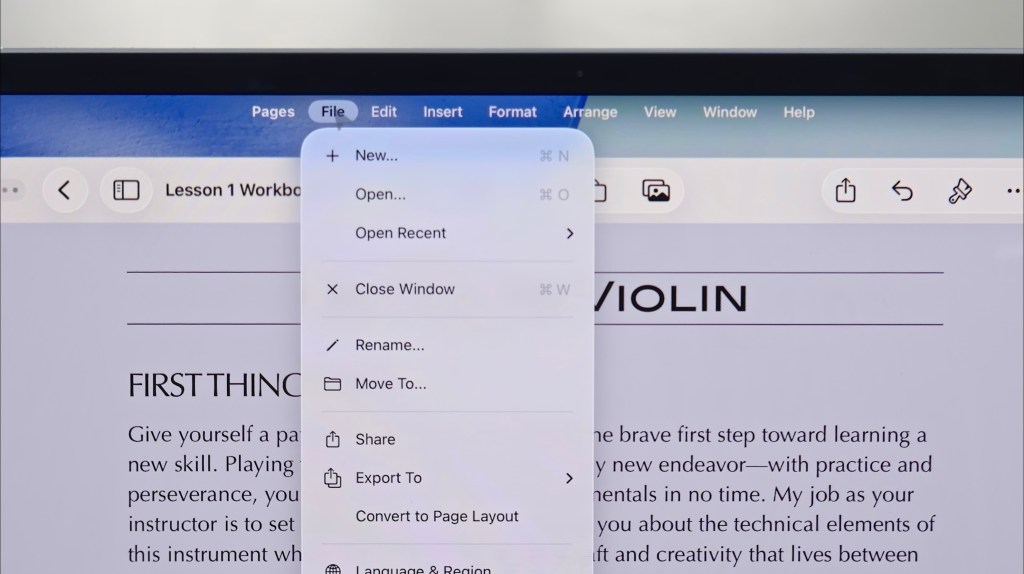
Another step towards unifying the experience across the Mac and the iPad, was the announcement of a new Mac-like menu bar situated at the top of the screen. Apple says the new menu bar is designed to be familiar to users with clear labeled options to help users find what they need quickly.
Files
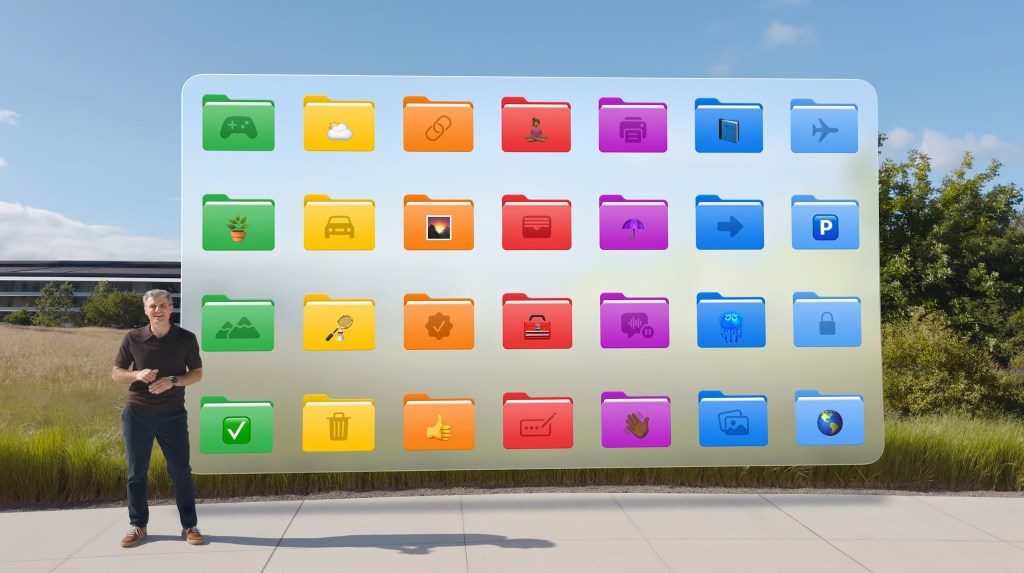
Files receives some great new updates including; improved List View, resizable columns and collapsible folders. Another step towards unification of the user interface between the iPad and the Mac, is that the files app is now receiving the same customizable folders that debuted in the new MacOS 26. These include customizable folder colours and icons which sync across your devices. You can now also set the default app you want your file to open with.
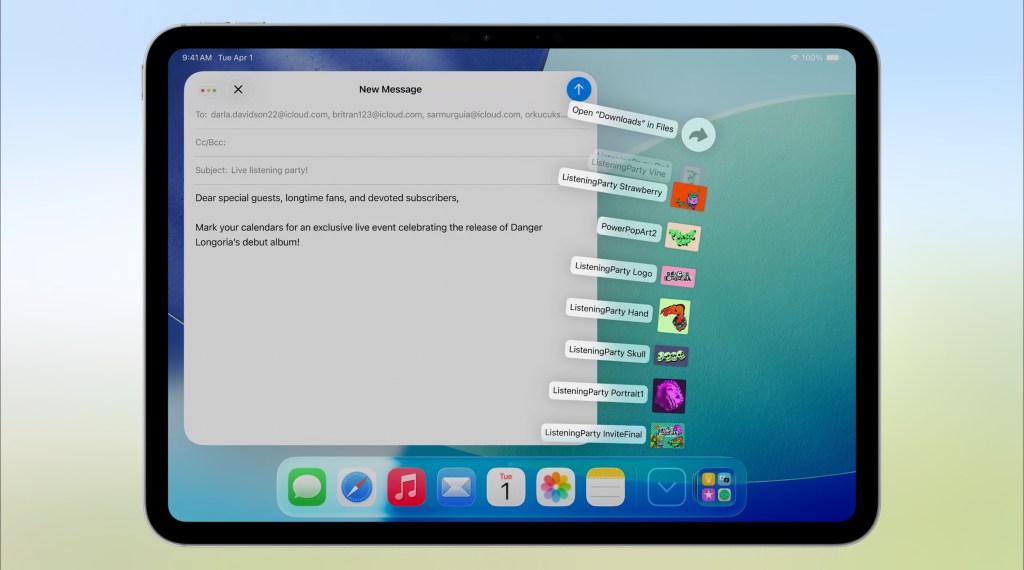
A new feature which we love in Files, is the way a folder situated in the dock “fans out” to display its contents, this looks gorgeous on iPadOS! Think about having quick access like this to a favorite folder.
Preview
Preview also arrives on the iPad from the Mac as a stand alone app for viewing and editing your PDF’s. The iPad for a long time has had superb alternatives to preview, of course Quick View which one could access via the share sheet is the built in option, but fully fledged apps such as PDF Expert offer users a much richer editing experience. The new Preview app for iPad will provide easier accessibility baked into and across the system, for quick navigation and edits of PDF’s.
Audio and video
A major feature which Podcasters and other Content creators have wanted for years is better control of audio input, well it’s finally here!
Now users can choose their preferred microphone and even use Apple’s built in voice isolation to strip out unwanted sounds in the background when recording. But it gets better, Apple announced a new feature called “Local Capture” which lets you capture high quality recordings to your preferred destination and it works across apps like, FaceTime, Zoom and Teams to name a few.

Apple have even engineered what they refer to as “echo cancelation” into Local Capture, to ensure others on the call do cross into your recording, this means you are always in the foreground and you get a clear uninterrupted recording of your voice.
Background Tasks
Apple are now allowing demanding, process intensive tasks to run in the background, freeing up the system to do other tasks. For example they showed a Final Cut export running in the background, displayed on the top of the iPad screen as a live activity.
Background Tasks will allow creative professionals and users with heavy work loads such as those performing large file transfers and exports to be more productive.

Conclusion
In summary, this was Apples biggest iPad event ever, they really listened to their iPad customers, and it showed. Here is a summary of the highlights of WWDC yesterday.
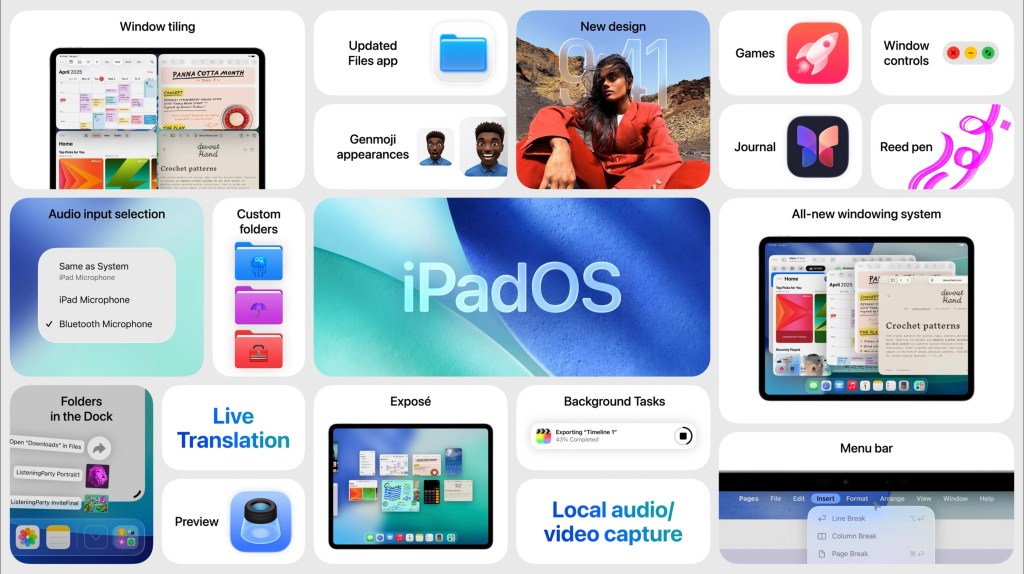
Compared to it’s path over the past four years, this is a major shift in direction for the iPad, one that we feel was always the intended destination for the iPad, but that due to unforeseen major challenges these past 5 years, Apple’s most modular device was put to one side. Fast forward to today in 2025 and this WWDC reinforces Apple’s vision and purpose for the iPad, reinvigorating the love it’s customers have for their product and best of all, they have done it in a uniquely iPad kind of way, just what we wanted. Even, dare I say it, lending design inspiration across to the Mac 😉.
We have more insights into iPadOS 26 to come…
Thats all for now,
Cheers,
Matt


Leave a comment