

Lets dive straight in;
1.) Less Distractions Equals More Work Done
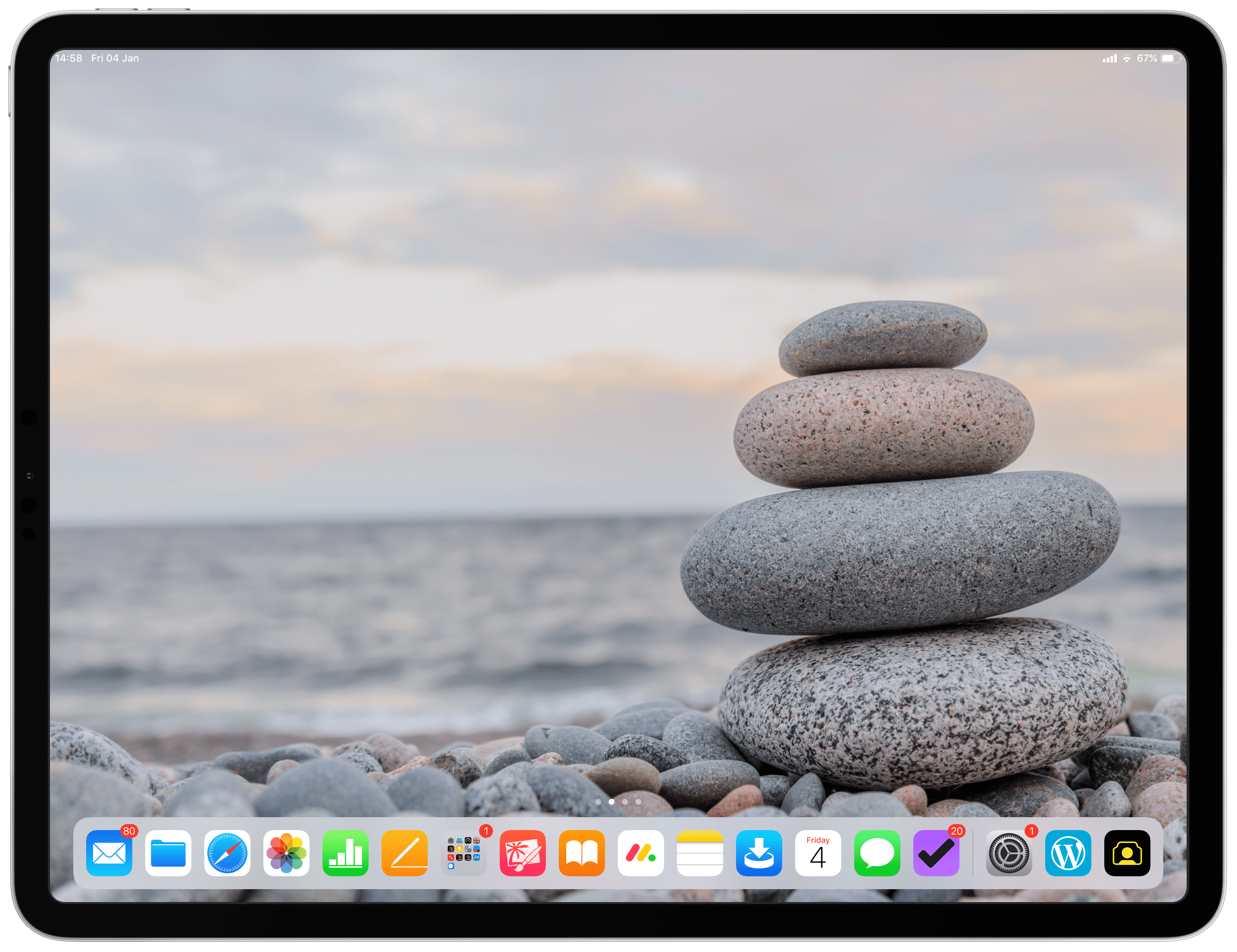
iOS is undeniably very beautiful and well presented, the home screen is uncluttered and the dock is clean and very easy to distinguish between different apps. The app animations and movements are graceful and fluid and all this translates to a very relaxing and ultimately a superb operating system to work in! This design means that it is easy and intuitive to find exactly which program you are looking for when you need it and when you learn it, it’s super fast.
Removing distractions from your work is essential to being productive and iOS has a very elegant way of doing this, by displaying notifications very gently without being totally in your face. This coupled with customizable banner styles, alerts and sounds makes for a very non intrusive, peaceful user Interface to get work done in. This means you don’t get pulled out of what you are focused on by pesky notifications, allowing you to concentrate better and for longer.
iOS in its self guides you towards a single minded focus, an approach focusing just on the task at hand, helping you to aquire a “true focus” on accomplishing one task at a time whilst not being distracted by a traditional display of overlapping windows of varying sizes amid a myriad of different icons ect. There are many articles and resources talking about the subject of a single minded focus, it essentially means that by devoting more brain “band width” to a task you can process it more effectively and quicker. This is a recipe for success that many successful business people believe in.
iOS Multi-tasking by design also ensures that apps are automatically snapped into place to ensure maximum screen size within the app, without having to waste time resizing and reordering windows that would otherwise typically become displayed overlapping haphazardly around the screen. Multi-tasking on iOS also opens very quickly, further saving time. All this again allows a more structured, organized, uncluttered approach to getting work done.
2.) Team Communication
Communication in business is essential, and in todays age we demand faster reply’s to email, include more information in our messages and try our best to get the right tone across, so as not to upset anyone when subject matter is serious or sensitive.
Apples own video conference calling service “FaceTime” and Instant messaging service “Messages” are superb alternatives to Skype & Slack respectively, and best of all…they are free! But they’re great for other business reasons too;
As you may know FaceTime now supports up to 32 users making it ideal for sales teams, products managers, departments, exec’s and many other inter company meetings. FaceTime is a great platform to check in with fellow colleagues or touch base on projects when you need to be hands free and more personal. It also serves as a major time saver, as you don’t have to walk or travel to your colleuge or staff members desk to have a face to face conversation.
Instant messaging services have become hugely popular with companies, because as the name implies they offer users immediate reply’s which make information exchange super fast, conversations feel more natural and effortless and its much quicker and more personal than sending an email.
iOS presents incoming FaceTime calls and Messages very well, by softly displaying banners that too can be customized. You can choose banner styles to either display momentarily at the top of your screen, (so as not to distract you too much) or to display by being persistent so you never miss a message from a team or group – Yes you can now create groups on Messages!
Notifications also offer a number of ways to interact with the banner. Again so as not to pull you away from what you were busy with or distract you too much. You can choose to swipe away the notification, quickly peak at the content or respond to it if its important right from the notification, so as not to take you to another screen.
iOS makes team communication very convenient, fast and non intrusive.
3.) A low maintenance Computer
Often overlooked is how much more Maintanance is required to operate a traditional PC or Notebook compared to an iPad. There are few things more frustrating than being unable to work due to typical maintenance that must be carried out in order to look after it or simply keep it running.
Working on iPad means seamless integration with iCloud so crucial work back ups are taken care of and don’t have to be thought about again. Working on iPad means no more expensive air dusters and time taken to dust fans, bearings and PC boards because dust traps heat, looks untidy and causes allergies. No Anti-virus subscription costs and scans to schedule and run. No software clean ups or divers that can be accidentally uninstalled or temporary files that need to be cleaned up. No manual updates, patches or driver updates required, no defrags need to be done and no cables to manage.
4.) Security

In todays age the cyber security industry is big business, a 150 billion dollar market in fact. This is due to the sheer scale of world wide cyber crime. One of the biggest contributors to this problem are vulnerabilities in operating systems and software. It’s all very well having a cyber attack on your private (non work related) machine, but when it’s your business computer, its a completely different story!
But what if you could significantly reduce your risk of attack to yourself, your business and it’s IP?….enter iOS.
Unlike a traditional PC or notebook the iPad does not get viruses, and therefore removes the need for anti-virus software and thus the subscription costs and annoying pop ups & notifications that come with it. This is a huge headache and time consumer that is eliminated when moving to iOS in business.
Face ID and Touch ID are really at the pinnacle of authentication security and further increase protection on your machine. This gives you great peace of mind knowing that no one can gain access to your device should it be lost or stolen.
5.) Flexibility
Everyone of us has felt the aches and pains associated with working long hours at a desk. Unfortunately these pains are not negated by simply changing to working on an iPad Pro, however, there are a few advantages that make a big difference if you do. For example, I often find my self reading lengthly spreadsheets and documents, be it; quotations, price lists, emails, contracts, supplier letters, industry news bulletins or just the kids school letters. One thing I love being able to do while working at my desk with the iPad Pro when these aches and pains arise is, to change sitting position. I simply peal off the iPad from the Apple Smart Keyboard, sit back in my chair (with the iPad now in portrait mode), and just relax and carry on working as if I was now reading my work on a magazine or newspaper, I immediately feel more comfortable and this makes me feel recharged enough to carry on without a break.
The other beauty of working off and iPad Pro is being able to walk around the office untethered with just a thin light weight tablet in your hands. This is made possible by the 10 hour battery life and ultra light thin design of the new iPad Pro’s. With the iPad you can get away from your desk, stretch your legs while walking to the coffee machine or water cooler, check in with colleagues, all while having the power of your computer at you figure tips. Not only is it very healthy to take momentary breaks and walk around, but it’s very convenient to be able to do this around the office.
Conclusion
If your profession will not allow you to work from an iPad Pro, then there really isn’t anything you can do about it and unfortunately that means you will be missing out on some great advantages of operating from an iPad Pro in business.
If you are thinking about making the change, go all in, and ask for help from the community, there are a ton of places to go to. 💥


Leave a comment